WP Cumulus 是wordpress的外掛程式,效果可以參考右側的標籤雲。
安裝方式一樣把檔案下載到wp-content/plugins目錄中,解開成wp-content/plugins/wp-cumulus
再到後台,管理首頁→Plugins,啟動它
再到,管理首頁→Settings→WP Cumulus
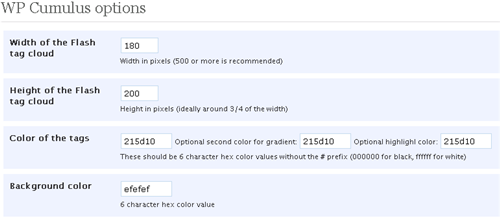
下圖依序設定,高度、寬度、字型顏色、背景顏色
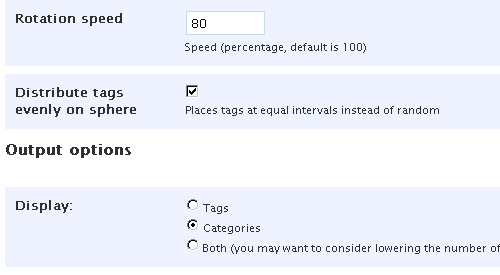
旋轉速度、標籤的位置、標籤來源
按 Update Options 存儲設定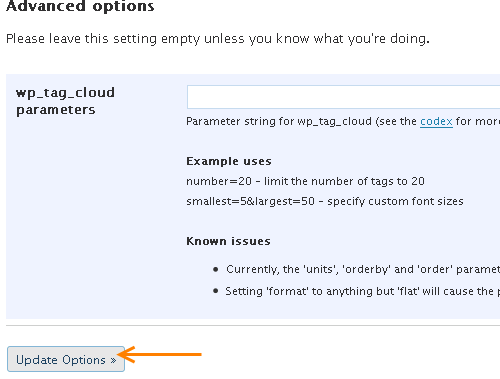
安裝語法:
<?php if(function_exists(‘wp_cumulus_insert’)) { wp_cumulus_insert(); } ?>
為了flash風格跟原本的blog一致,你會需要這個東西,colorpicker,抓色碼軟體。